How do i get a daily brief?
Daily Briefing keeps you on top of your day automatically — okthx sends you a personalized summary (schedule, key emails, priorities) on whatever schedule and channel you prefer, so you don't have to go looking for it.
Steps:
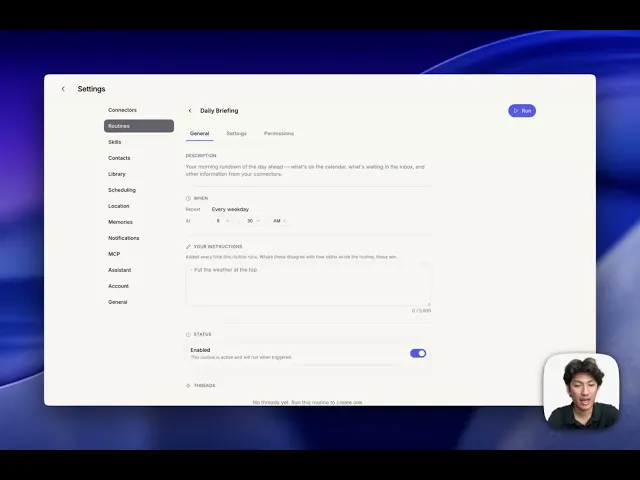
Go to Settings and open up Routines
Click on the Daily Brief
Set the Schedule and enable the routine
Use the Settings tab to pick how you want to be notified
Customize it by adding any details to the "Your Instructions" section